Switching from Aldfaer
From Aldfaer to Stambeam, in a few minutes.
Make a GEDCOM file in Aldfaer and read it into Stambeam. You see what comes in first, and your tree in Aldfaer stays where it is.
How to bring your tree over
In Aldfaer
In Aldfaer you make a GEDCOM file of the open tree through the Bestand (File) menu (export GEDCOM). With Instellingen (Settings) you choose which data goes along.
- 1Open the tree in Aldfaer.
- 2In the Bestand menu, choose the GEDCOM export.
- 3Enter a file name; Aldfaer adds .ged itself.
- 4Click Exporteren (Export).
People you shielded in Aldfaer may be left out. After importing, compare the number of people in Stambeam with Aldfaer.
In Stambeam
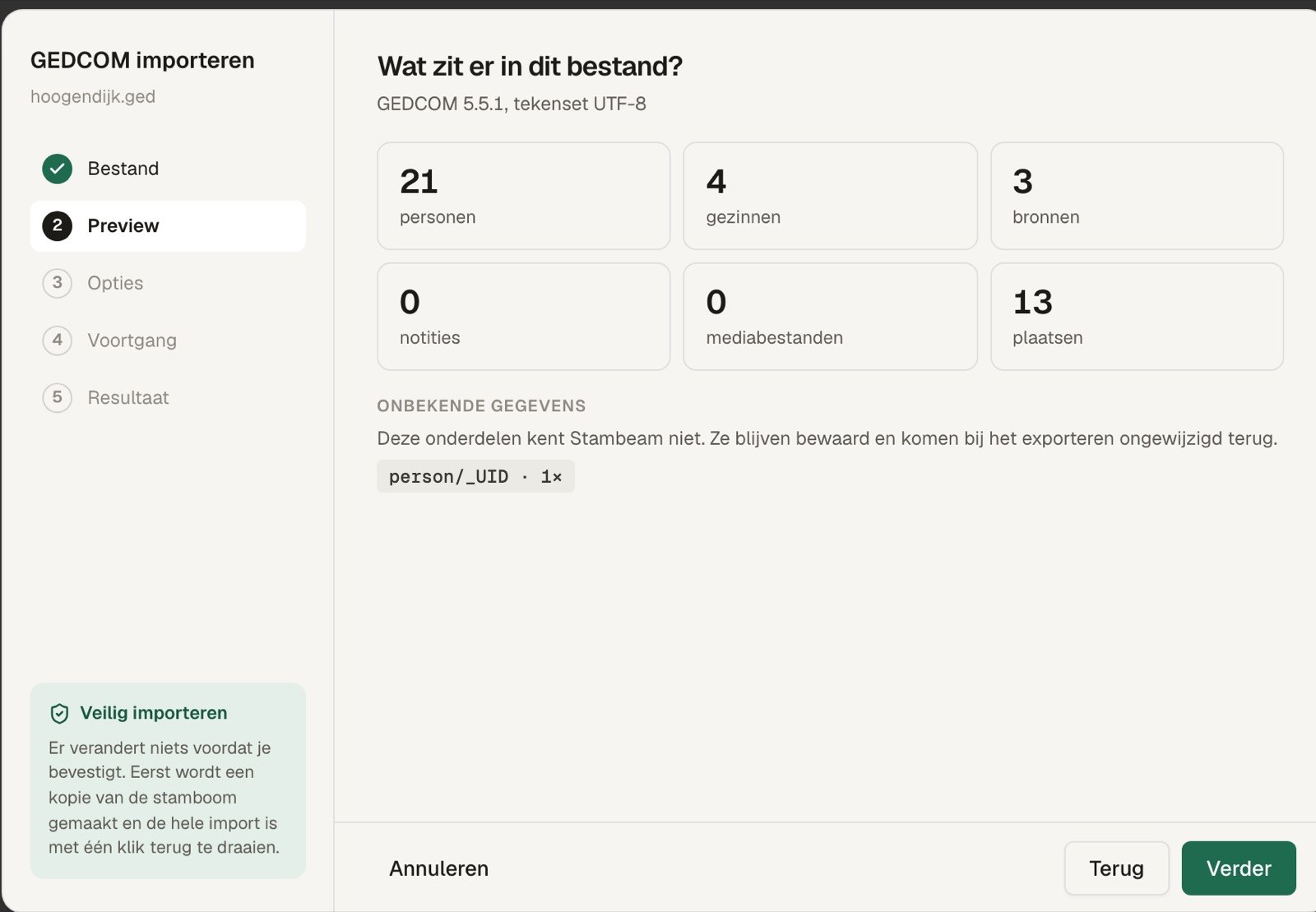
- 1Choose File, Import.
Pick the file you just made. Nothing changes yet. - 2Check the preview and import.
You see how many people, families, sources and photos are in it. Click Import; just before, Stambeam makes a copy of your tree. - 3Keep or undo.
If it looks right, carry on straight away. If not, everything is back the way it was.
Data Stambeam does not know is kept and goes along unchanged when you export to GEDCOM.
What Stambeam does differently
Your own tree, with a few new possibilities.
Try it with your own tree.
Try it free for 30 days