The tree the way you want to see it
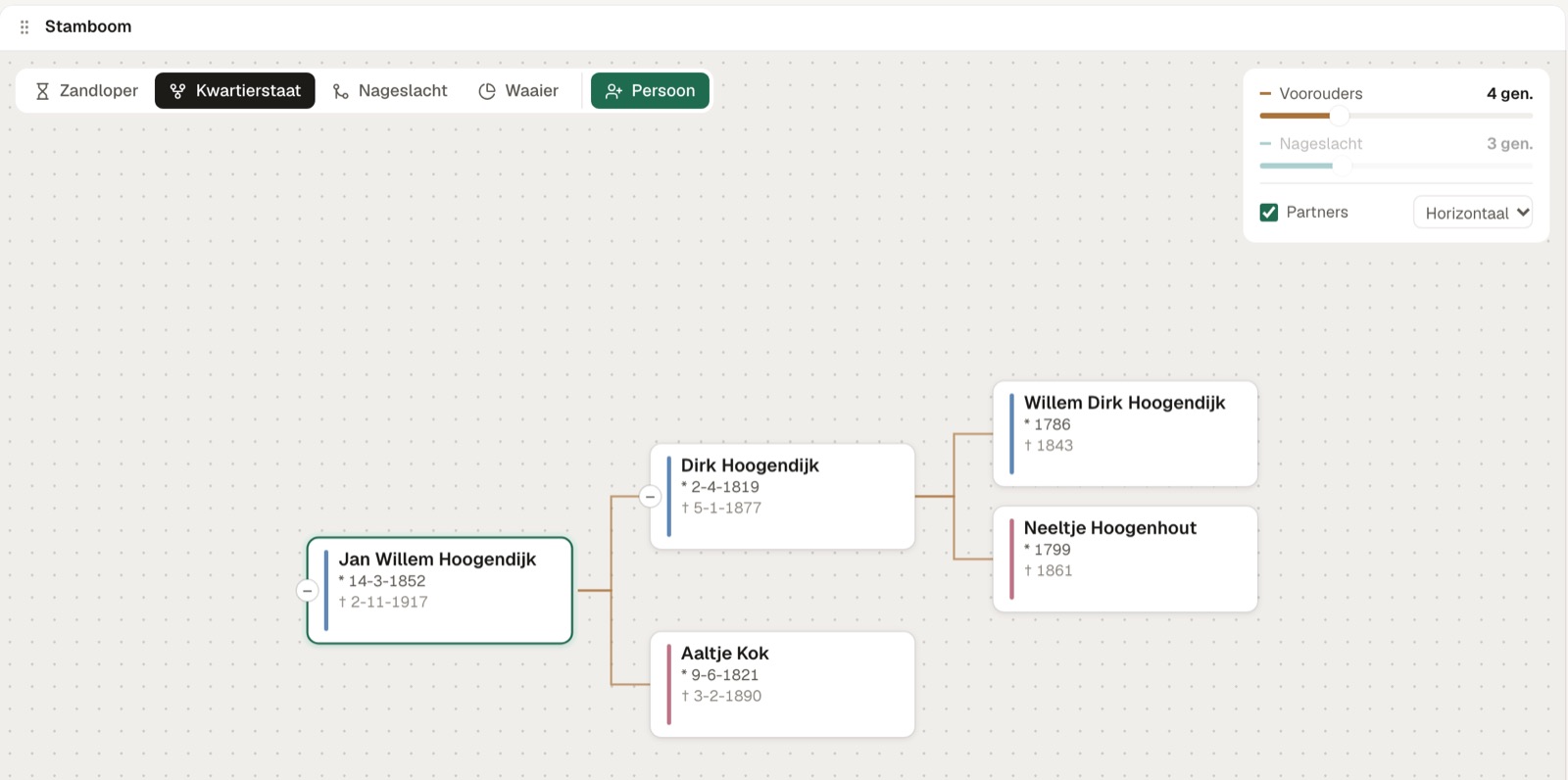
Ancestors, descendants, hourglass or fan. Click someone and carry on.
Family tree software Beta
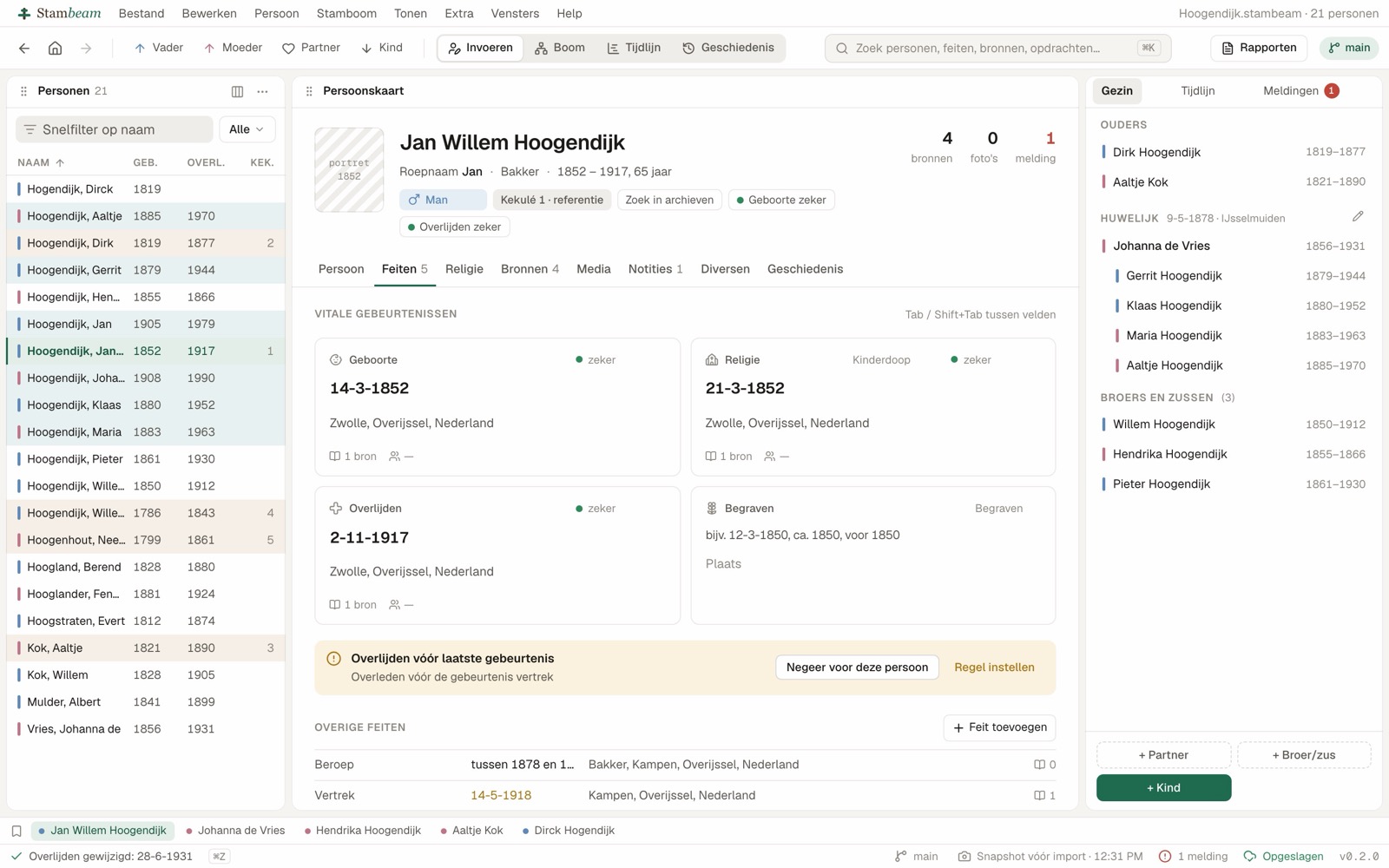
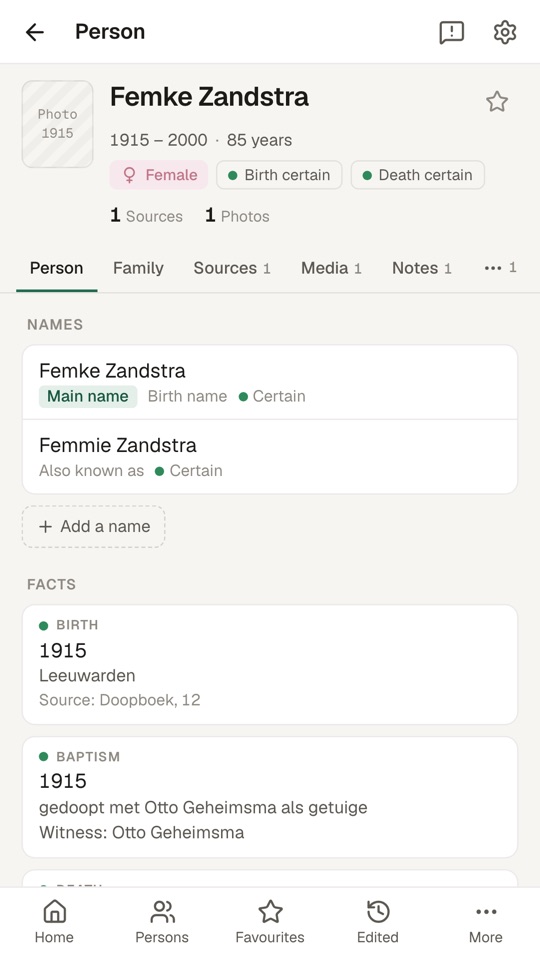
Try out a hunch in a branch of its own, without touching your tree. Work offline on your computer, share your tree with family and keep researching on your phone.
In half a minute: what Stambeam is and what you can do with it.
Switching
Features
New in genealogy
Software developers have worked this way for years: you try something new in a separate branch, and only merge it once it is right. Stambeam brings that to your family tree.
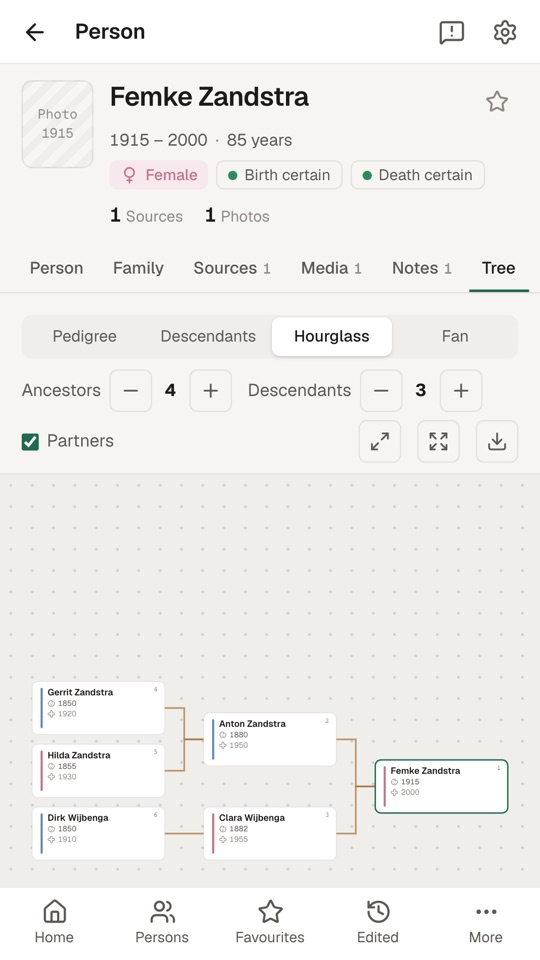
Ancestors, descendants, hourglass or fan. Click someone and carry on.
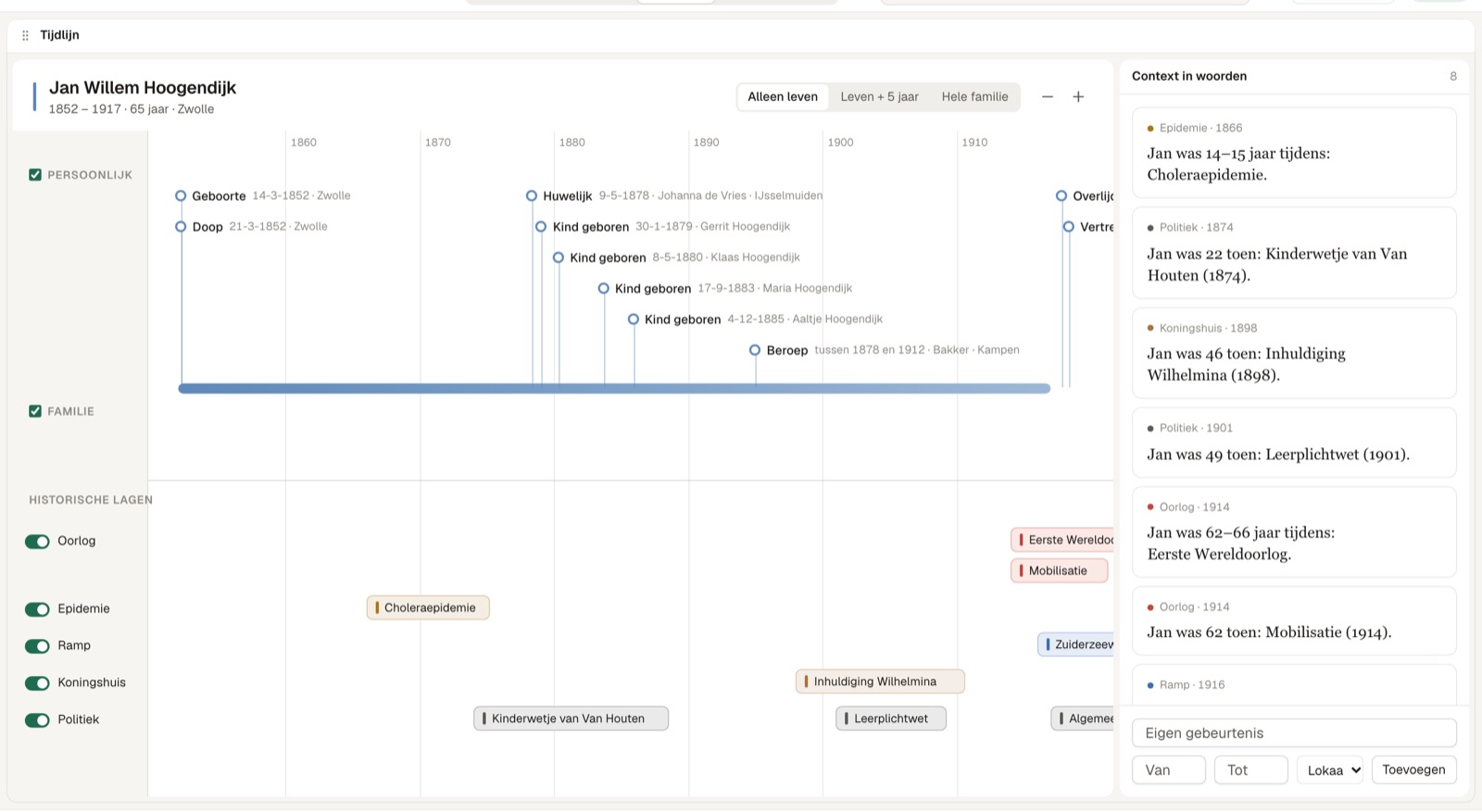
Events of a person and their family, next to what happened in the world.
Also finds other spellings of a name. In people, facts, sources and places.
A date that does not add up? Stambeam tells you, you decide.
Ancestor charts and overviews as PDF or web page. Always back to GEDCOM.
AI, if you want it
AI is off by default. Turn it on and the AI makes suggestions. You see every suggestion in a list first; you decide what goes in, and everything can be undone.
A scan of an old record becomes text, with suggested facts and the record as source.
Ask a question in plain language. You see the search it was turned into.
The assistant points out missing parents, clashing dates and possible links.
With a score and an explanation per candidate. You do the merging.
Loose notes become fields and events. The note itself stays.
A readable story about someone, with the source for every sentence.
Working together
With a Stambeam hub you share trees with family or your society. The hub runs on your own server: your data stays with you.
View or edit, per tree. Living people stay shielded.
Search and add at the cemetery or in the archive, even without signal.
The Android app is coming soon to Google Play. iPhone is coming soon.
Making a backup is copying the file.
Stambeam works without internet and without a cloud.
We never see your tree. Only this website measures visits, and only if you agree. Privacy policy
During the beta Stambeam is completely free.
After the beta Stambeam will probably be paid. We will announce the price well in advance. We do not guarantee that the free beta keeps working after that. Your tree always stays yours: it is a file on your own computer, and you can always export it as GEDCOM.
Price to follow
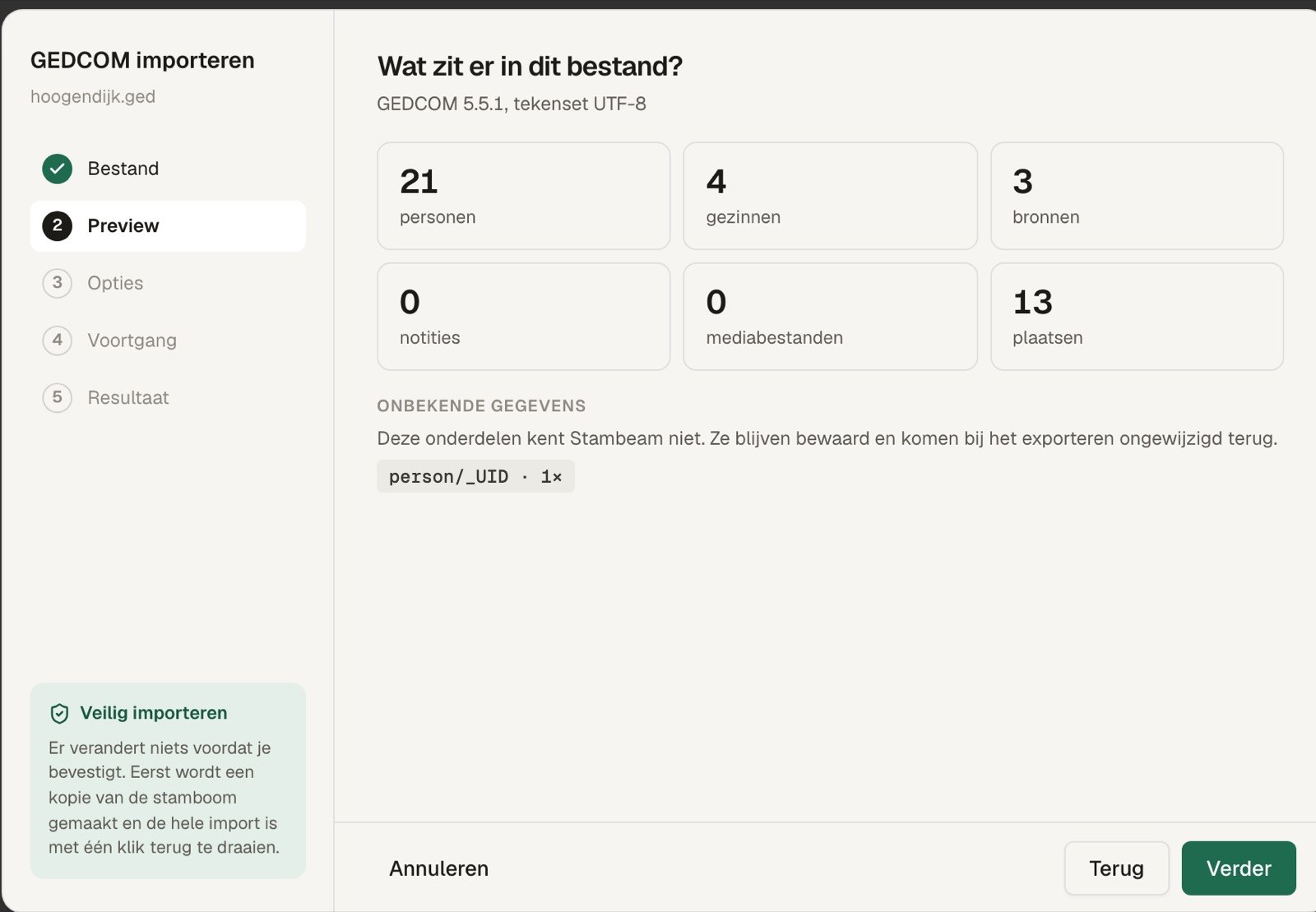
Yes. Export your tree as GEDCOM and read that file in. You see what comes in first, and Stambeam makes a copy beforehand.
Yes. You can always export to GEDCOM, and your tree is an open file on your own computer.
Stambeam is in active use, but still being developed. During the beta it is free and updates come often. After that Stambeam will probably be paid; you will hear the price well in advance. We do not guarantee that the free beta keeps working after that. You can always export your tree.
No. You only need an account on a hub to work together through that hub.
A small server that you or your society runs. You share trees on it, and the phone app connects to it.
Yes, both are coming. Stambeam is already available for Windows, and the Android app is on its way.
Free during the beta · version 0.19.0 · Mac coming soon